

Learning path
Owner
માલિકमालिक
Set the shop up, run the team, read the day and grow — then take every other path too.
- 38 lessons
- 6 parts
- A picture card for every lesson
Learn it inside your shop
In VASAH, Learning → My learning keeps your place in this path, gives you its short quiz and, at the end, your certificate.
Lesson 1: Fill in Business & GST (legal name, trade name, GSTIN, State)The lessons, in order
Every lesson is open — start with any one.
Part 1Set up the shop
- Lesson 1: Fill in Business & GST (legal name, trade name, GSTIN, State)Exactly as your GST certificate reads — it prints on every bill.
- Lesson 2: Add the shop's address, phone and emailThe address prints on bills; the email is where Meta, Razorpay and customers write to you.
- Lesson 3: Add bank details and UPI ID so unpaid bills print a UPI QRThe UPI ID becomes the counter's payment QR and the QR on a bill with money due.
- Lesson 4: Name the grievance officerA named person for complaints, as the e-commerce rules require — shown on the website and on every tag.
- Lesson 5: Make yourself the packer on every style (Label declarations)Legal Metrology: a tag and a website listing say who packed the piece, where and in which month.
- Lesson 6: Upload your logo and write your website's opening words (Your shop's look)Your logo shows on the website, the sign-in screens and the counter; the words open your home page.
- Lesson 7: Check the GST rate table with your CA and mark rules verifiedEvery HSN has a dated rate rule; a rule your CA has confirmed is marked verified.
- Lesson 8: Decide whether prices include GSTOn: the tag price is what the customer pays. Off: GST is added at billing.
- Lesson 9: Add a location, its counter and the invoice series prefixA shop or godown holds stock; a counter bills, with its own gapless bill numbers.
- Lesson 10: Check document series (website, credit notes, purchase bills)GST rule 46: numbers run in order, once a year, and never go back.
Part 2Team and security
- Lesson 11: Invite a user, choose role, locations and discount limitEveryone gets their own login; the role decides what they see.
- Lesson 12: Reset a staff member's passwordThey are signed out everywhere and get a temporary password to replace.
- Lesson 13: Deactivate a person who has leftTheir login stops at once; their bills and history stay.
- Lesson 14: Read the audit log and filter itWho changed what, when, from which device — before and after.
- Lesson 15: Let Vasah support in for 4, 24 or 72 hours and end itA separate sign-in that ends by itself — nobody's own password is shared.
- Lesson 16: Rotate the print-bridge pairing token when a PC leaves the shopA new secret, so an old PC can no longer print or open your drawer.
Part 3Your VASAH plan
- Lesson 17: See what your plan includes and what you are usingUsers, locations and styles against the plan's limits, before you hit them.
- Lesson 18: Subscribe to a plan through RazorpayPay in Razorpay's checkout; the shop moves onto the plan when the payment is confirmed.
- Lesson 19: Check with Razorpay after payingIf the plan has not changed yet, ask Razorpay for the latest state.
- Lesson 20: Cancel at the end of the paid periodStop renewing; everything keeps working until the paid date.
- Lesson 21: What happens in grace and when the back office locks (selling continues)An unpaid shop never stops selling — only back-office changes wait for the renewal.
Part 4Daily and weekly rhythm
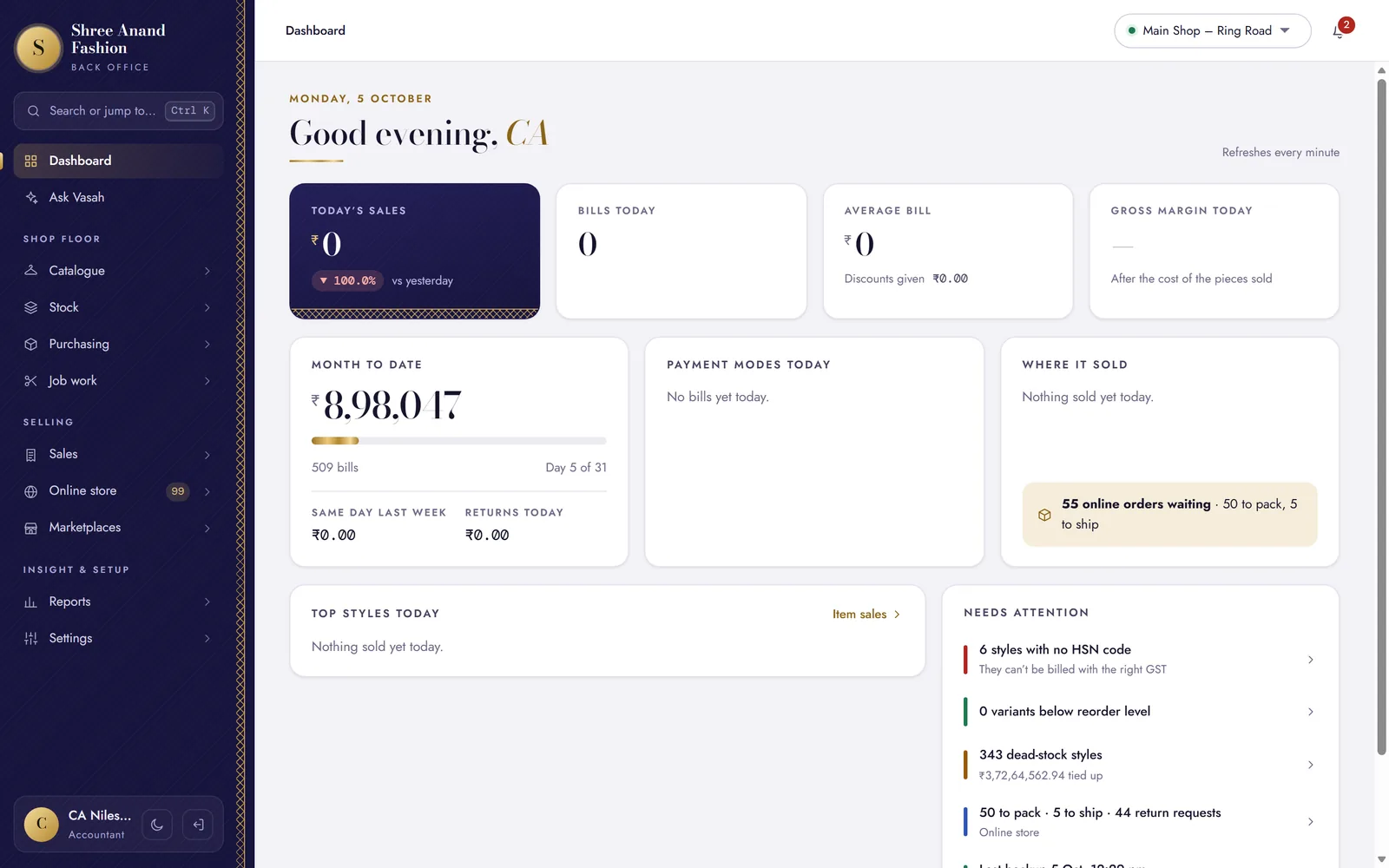 Lesson 22: Read the dashboard: today against last week, dead stock, low stock, duesThe day at a glance, refreshed every minute.
- Lesson 23: Switch on the daily WhatsApp summary and choose its time and numberOne message each evening: bills, sales, udhaar outstanding and anything that went wrong.
- Lesson 24: Ask Vasah a question in Hinglish, Gujarati, Hindi or EnglishAsk in your own words; every number comes from your shop's books.
- Lesson 25: Ask Vasah from your own WhatsAppMessage the shop's WhatsApp from your own number and get the answer back there.
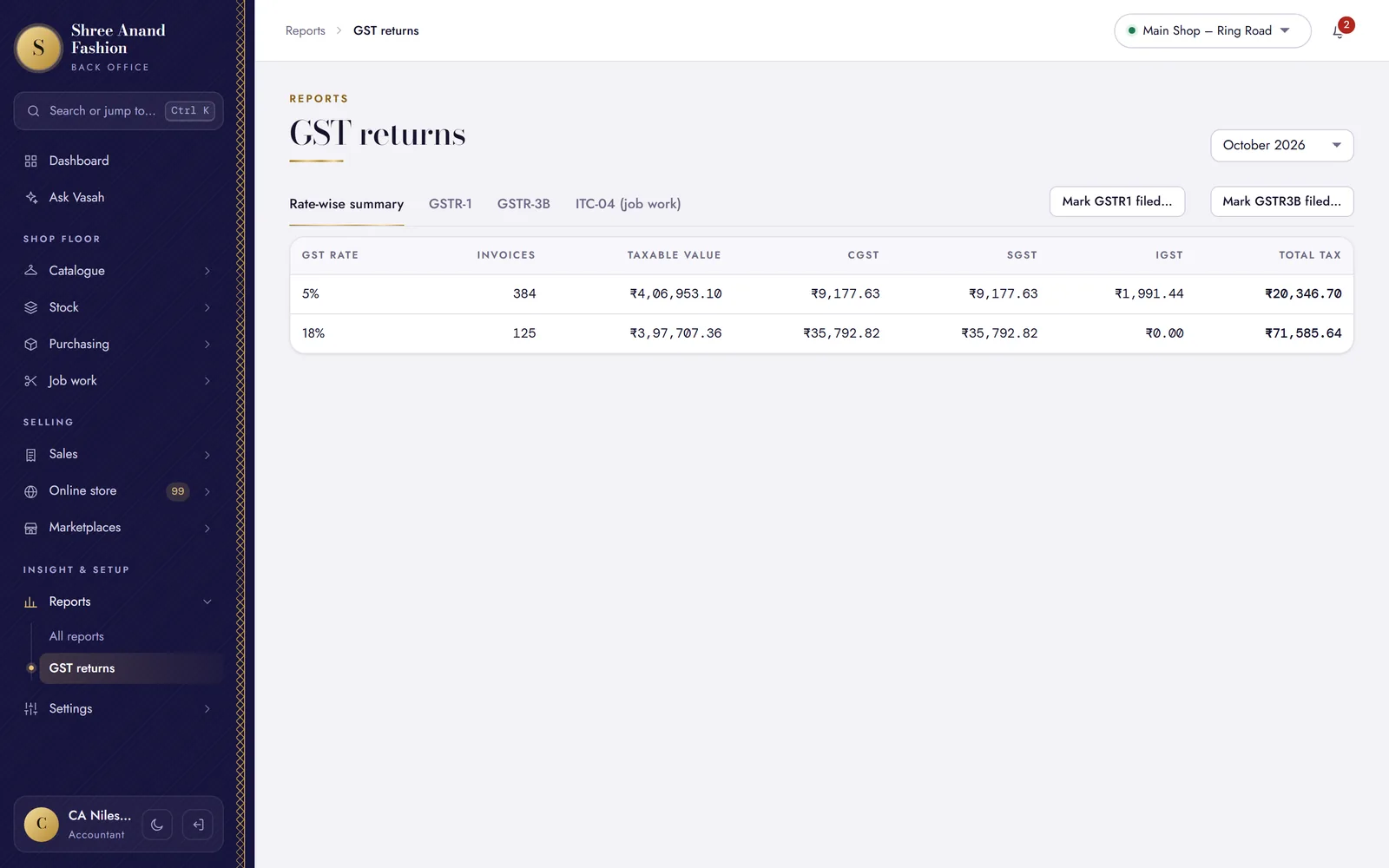 Lesson 26: Check GST returns before you file and record the filingRead the month with your CA, file on the portal, then lock the month here.
- Lesson 27: Download a backup once a monthA copy of the shop's data on your own computer, besides the nightly one.
- Lesson 28: Take a backup now and download itBefore a big change, take a fresh copy yourself.
Part 5Policies and the website's legal pages
- Lesson 29: Set the return window and exchange-only ruleHow many days a customer has, and whether money ever goes back.
- Lesson 30: Write your own receipt return line (or leave it to the settings)The line at the foot of every bill about returns, and the thank-you line.
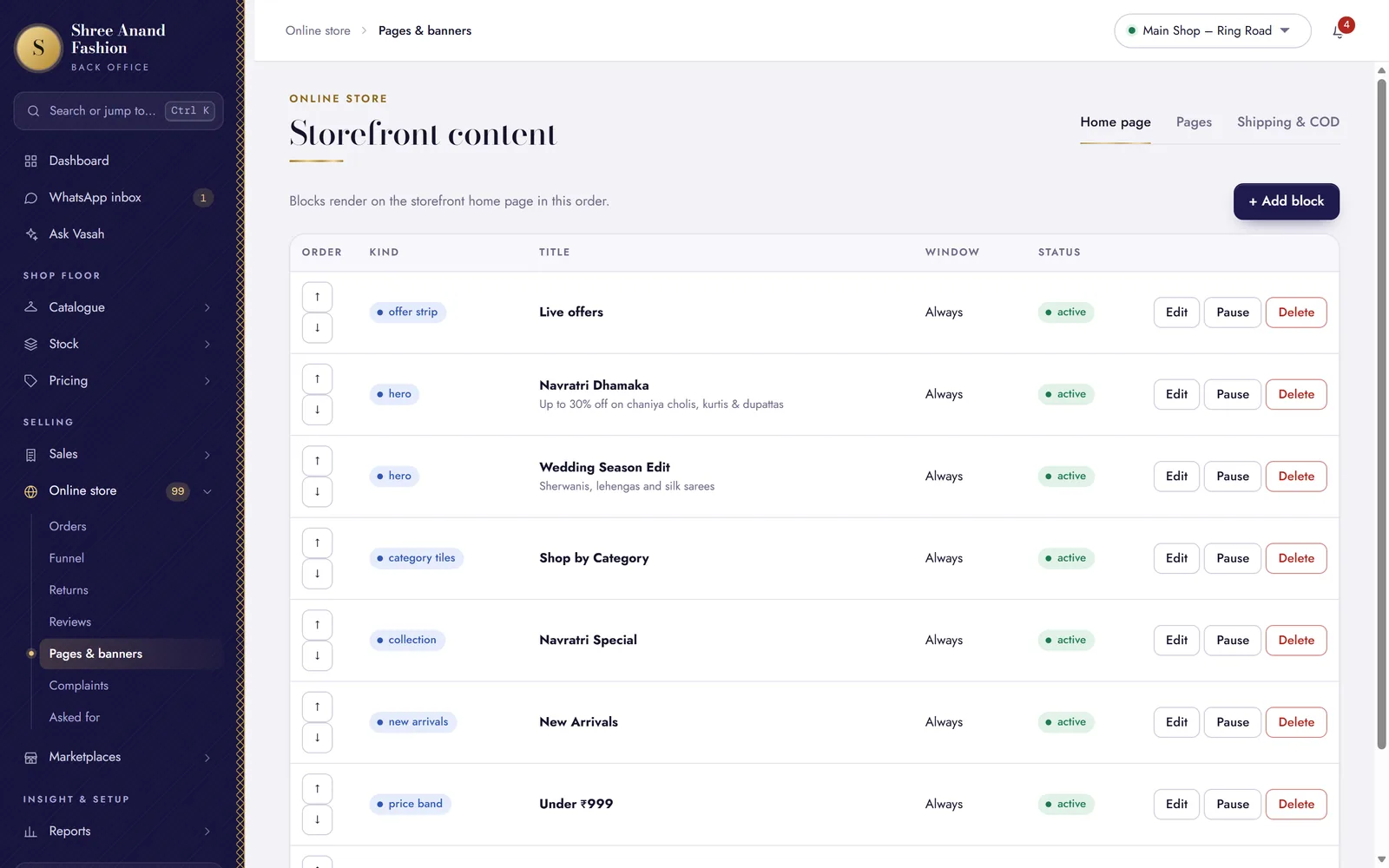 Lesson 31: Draft policy pages from settings, read them, publishTerms, privacy, shipping, returns, grievance and more — written from your own shop's facts.
- Lesson 32: Set COD rules and the PIN codes you deliver toWhen cash on delivery is offered, and where you deliver.
- Lesson 33: Decide whether guests may order without signing inGuests order with a name, mobile and address; you ring them before the order is accepted.
Part 6Growing
- Lesson 34: Add your own domain for the website or back office (DNS records, Verify)Your website on your own name — the .vasah.app address keeps working too.
- Lesson 35: Set up a marketplace in manual modeSell the same stock on Meesho, Amazon, Flipkart or Myntra without selling a piece twice — on the Standard and Pro plans.
- Lesson 36: Offer trade accounts (wholesale) to retailers on your websiteRetailers apply with their GSTIN and buy at trade prices — you switch it on and set the minimum order and the credit they start on.
- Lesson 37: Approve a retailer's trade accountA retailer applied on your website with their GSTIN: approve them, and they buy at trade prices with the credit you give.
- Lesson 38: Plan festival buying with the reorder plannerFrom your own sales speed and the festival calendar: what to order, and about how much.