
Team & training
The right access for every person — and lessons for each.
Seven roles, each seeing what its job needs. Everyone signs in as themselves and every change is on the log — and inside VASAH, every screen comes with its lessons, in English, ગુજરાતી or हिन्दी.
On every plan · 2 users on Starter, 10 on Standard, no limit on Pro
- 7 roles
- From owner to cashier
- Two-step
- At the back office and the counter
- Every change
- On a log nobody can edit
- Every screen
- Comes with its lessons
A new person, from day one
From the invite to the certificate, in four steps.
How someone joins your shop on VASAH.
Invite them
Choose their role, their shops and how much discount they may give. They start with a temporary password.
RoleCashierTemporary password••••••They choose their own password
At the first sign-in VASAH asks for a password only they know, before anything else.
Own password setThey set their counter PIN
Four to eight digits, to unlock the counter and to approve what their role allows.
PIN set• • • •They learn their path
My learning shows the lessons for their role. When the path is done, a certificate follows.
12 of 12 lessons
Who may do what
Each person sees what their job needs.
Checked by the server on every request — not only hidden in the menus.
Seven roles
Owner, manager, cashier, store keeper, purchase officer, accountant and online manager — each with its own permissions.
Cost stays private
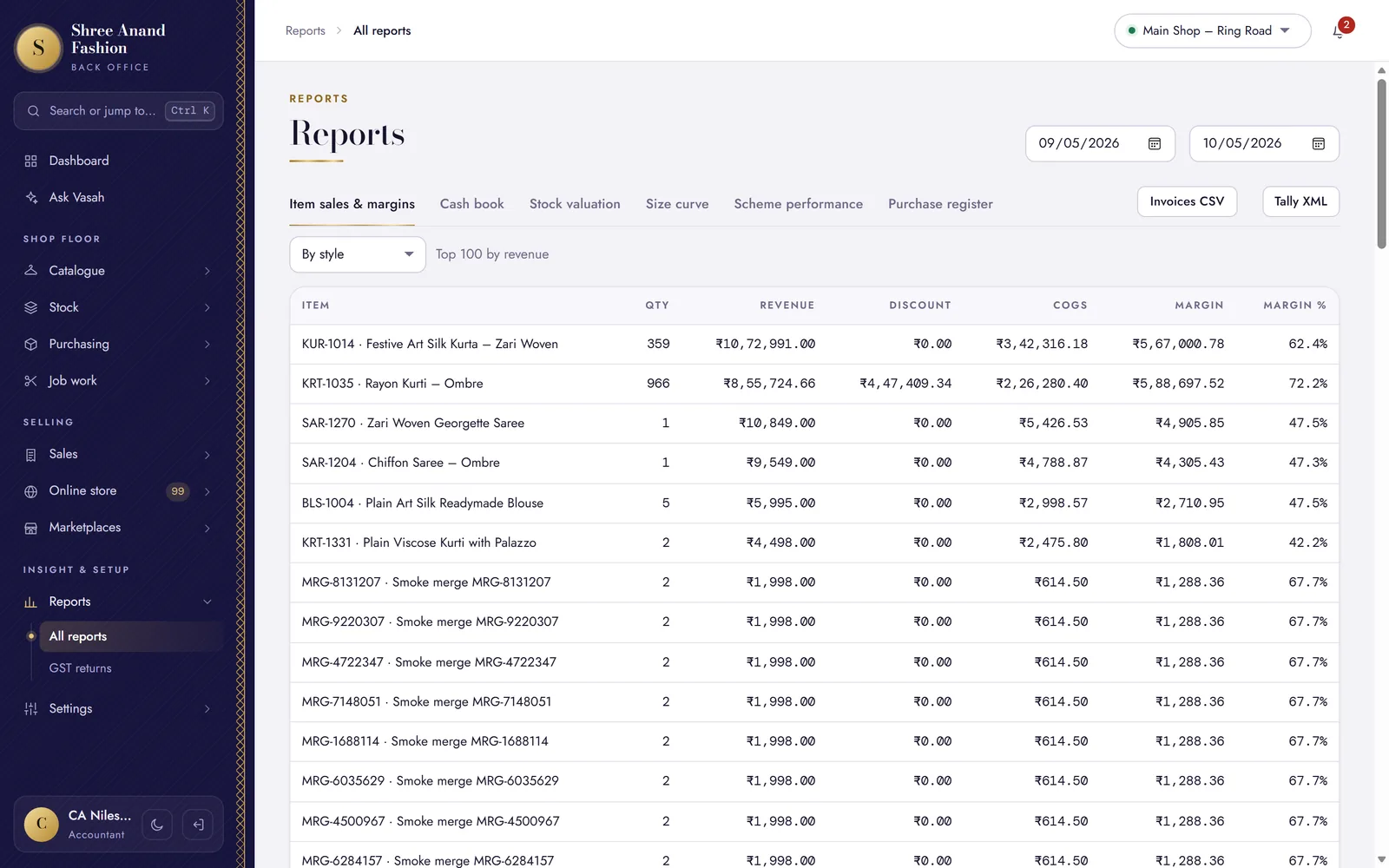
Purchase cost, margins and suppliers are hidden from cashiers, store keepers and online managers.
- F4F5
Discount limits
A limit for each person, in per cent and in rupees per bill; above it, a manager approves with their PIN.
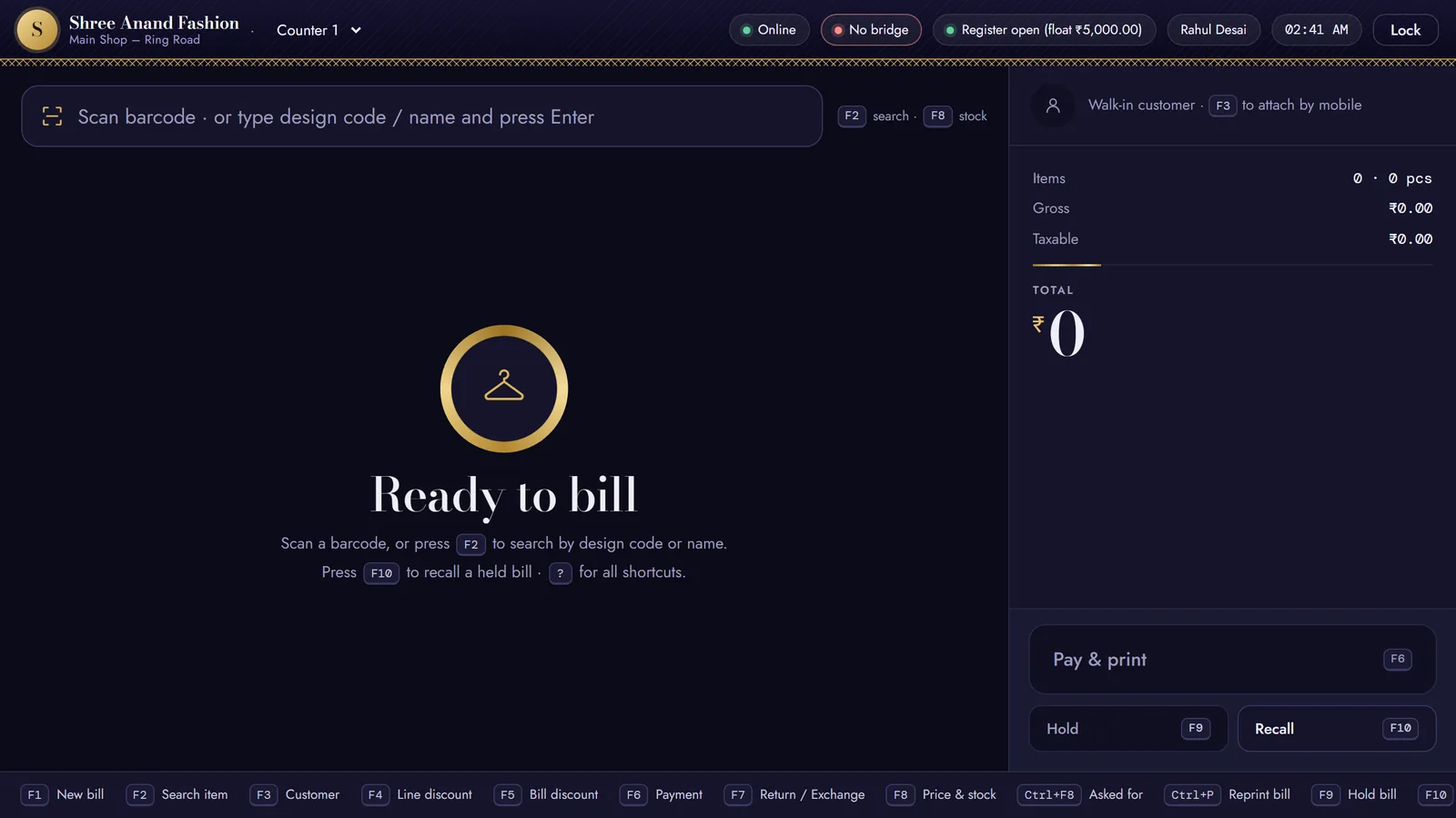
- Ctrl+L
Quick switch at the counter
Ctrl+L locks the counter; the next person unlocks it with their own PIN, and every bill carries the name of who made it.
Two-step sign-in
A code from an authenticator app after the password. Owners and managers who switch it on are asked at every sign-in — at the back office and the counter.
When someone leaves
Deactivate them: their sign-ins end at once, and their past work stays on the record.
The audit log
Who changed what, and when.
Prices, stock, bills, settings, users — each change is written to the audit log with the person, the time and what it was before. The log itself cannot be edited or deleted, not even by the owner.
- Filter by person, action or date, and export it
- Failed sign-ins and wrong PINs are on it too
- So is everything VASAH support does in your shop
Drawn for this page · sample names
Support access
We look in only when you let us.
Our team cannot open your shop on its own. When you want help, the owner opens a sign-in for VASAH support from Settings → Plan & support — for 4, 24 or 72 hours. It ends by itself when the time is up, or the moment you press End now.
- Manager-level, never the owner's
- Every opening is on the audit log, under your name
- Nobody's own password is ever shared
Drawn for this page
Training inside VASAH
Every screen comes with its lessons.
The ? on each back-office screen opens that screen's lessons, and a short tour shows the way on a first visit. Each person follows their role's path in My learning; the owner sees the whole team's progress in Team training.
- Lessons in English, ગુજરાતી and हिन्दी, with the steps written out
- A three-step tour the first time a screen opens — at the counter too
- A certificate when a path is done
Drawn for this page · sample names and numbers
VASAH Academy
Set up your team, one task at a time.
Lessons from the owner's path, and the first module everyone takes.
Short lessons, one task each, in English, ગુજરાતી and हिन्दी — with the steps written out and the keys to press.
Visit VASAH Academy- Invite a user, choose role, locations and discount limit
- Choose a new password the first time you sign in
- Set your own counter PIN
- Turn on two-factor for your login
- Use the menu and see only what your role allows
- Approve a discount above a cashier's limit with your PIN
- Switch cashier without signing out
- Read the audit log and filter it
- Let Vasah support in for 4, 24 or 72 hours and end it
- Deactivate a person who has left
Works with
Your team works across VASAH.
Bring your whole team in.
30 days free. Everyone gets their own sign-in and the lessons for their role.