
Product
Everything a clothing shop runs on.
The counter, the back office, your own website, WhatsApp and the marketplaces — one system, all reading the same stock. Here is every part of it, in plain words.
The counter and the back office come with every plan. The online store, the marketplaces and WhatsApp campaigns come with Standard and Pro. Compare plans →
01Counter
A bill in seconds, in your staff's own language.
Scan, take payment, hand over a GST bill — in English, ગુજરાતી or हिन्दी — and keep billing when the internet drops.
Scan, or type the code
Every piece has its own barcode. No tag? Find it by design code or name with F2.
Every way to pay
Cash, UPI, card machines — or one bill split across them.
Returns, exchanges, held bills
F7 takes a return or swaps a size. F9 holds a bill; F10 brings it back.
Printed, or on WhatsApp
58 or 80 mm receipts, A4 bills, or the bill on the customer's WhatsApp.
Keeps billing offline
Bills wait on the counter PC and go up by themselves when the line is back.
PIN lock, quick switch
Ctrl+L locks the screen. Cashiers change over with their own PIN.
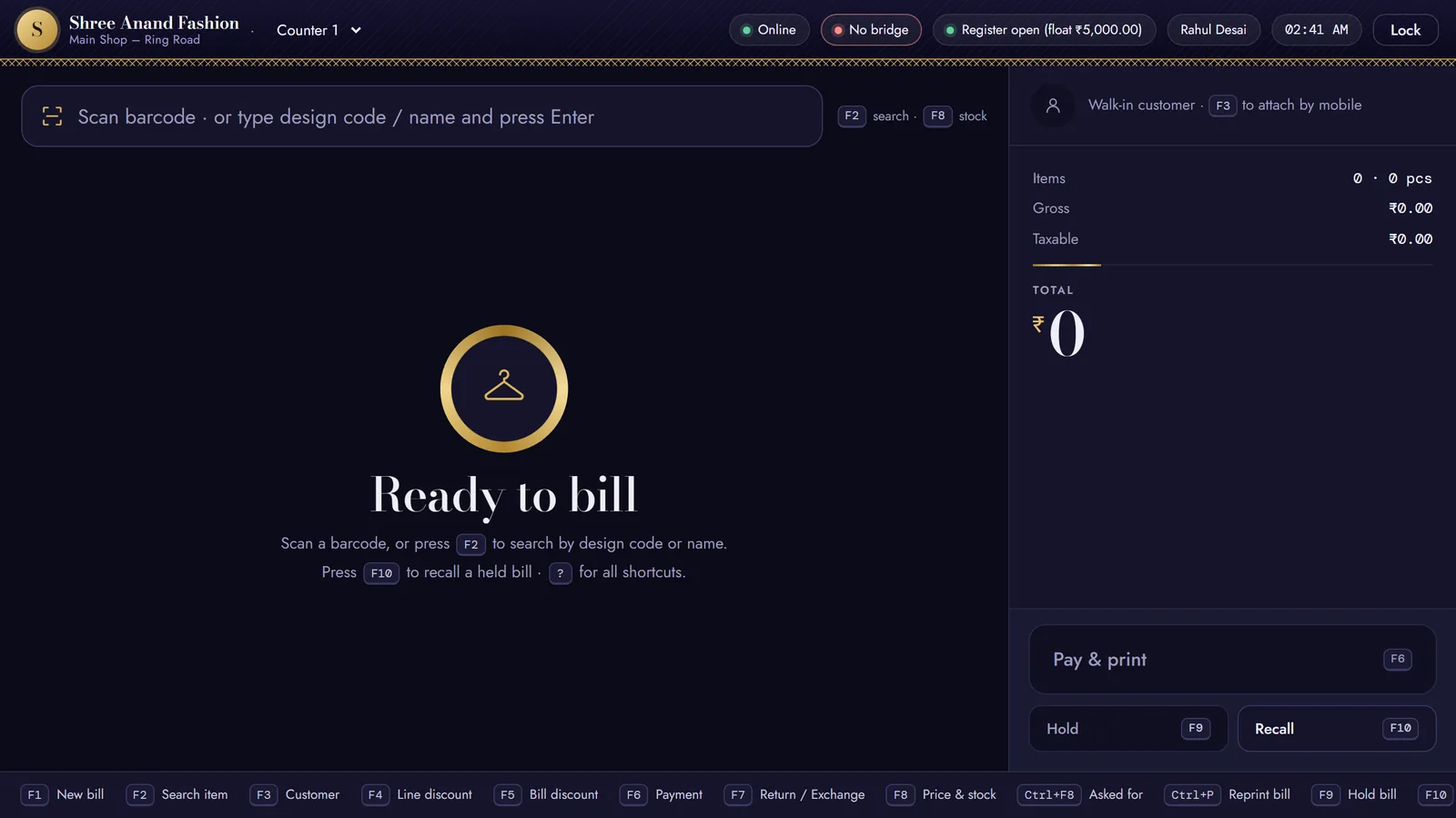
The counter, ready to bill · sample shop on our test system
02Stock & catalogue
Every size and colour, in every location.
One catalogue of styles, sizes and colours — counted across your shops, your godown and your website.
Styles × sizes × colours
One style, every size and colour as its own piece, each with its own barcode.
Legal Metrology tags
70×40 mm tags with MRP, packer, month and year — printed from the catalogue.
Shops and godowns
Stock by location, and a transfer whenever pieces move between them.
Stock counts
Count the shelves with a scanner and see what doesn't match.
Ageing and dead stock
See what has sat too long while there is still a season to sell it.
Start from Excel
Bring your styles, opening stock and customers in from a spreadsheet, checked before anything is saved.
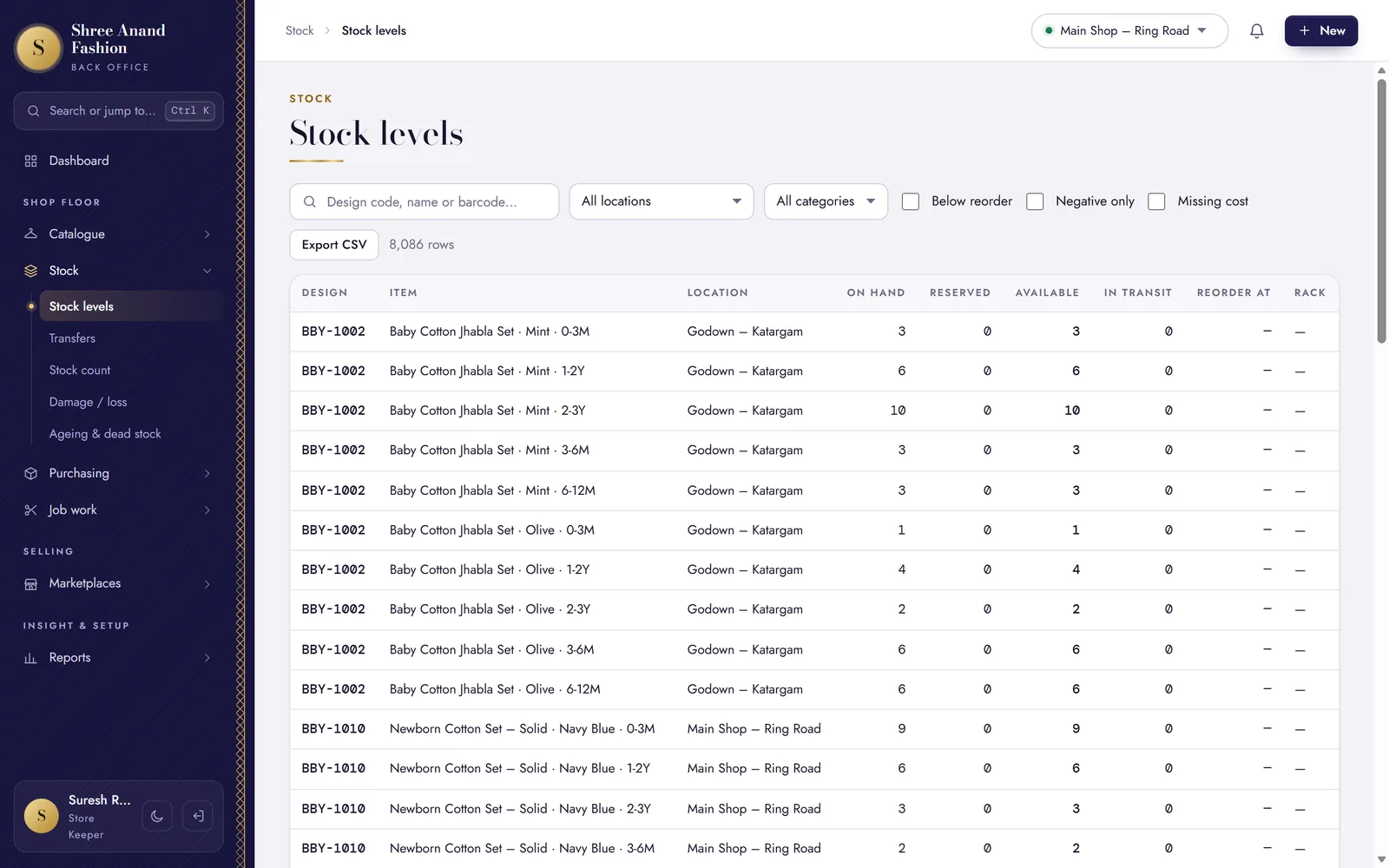
Stock levels for each size and colour, by shop and godown · sample shop on our test system
03Buying & karigars
Know what every piece really cost you.
From the purchase order to the karigar's challan — with freight counted into the cost, so your margins are true.
Purchase orders
Order from a supplier on WhatsApp, then receive the parcel against the order.
Landed cost
Freight on a purchase bill is spread across its pieces, so each one carries its real cost.
Supplier payments
What you owe each supplier, what you have paid, and what falls due next.
Karigar job work
Pieces go out on a challan for embroidery or stitching — and you see what has come back.
The "Asked for" list
What customers wanted that you didn't have, noted at the counter with Ctrl+F8.
Scan the paper bill
Scan a supplier's bill on the counter PC's scanner and keep it with the purchase entry.
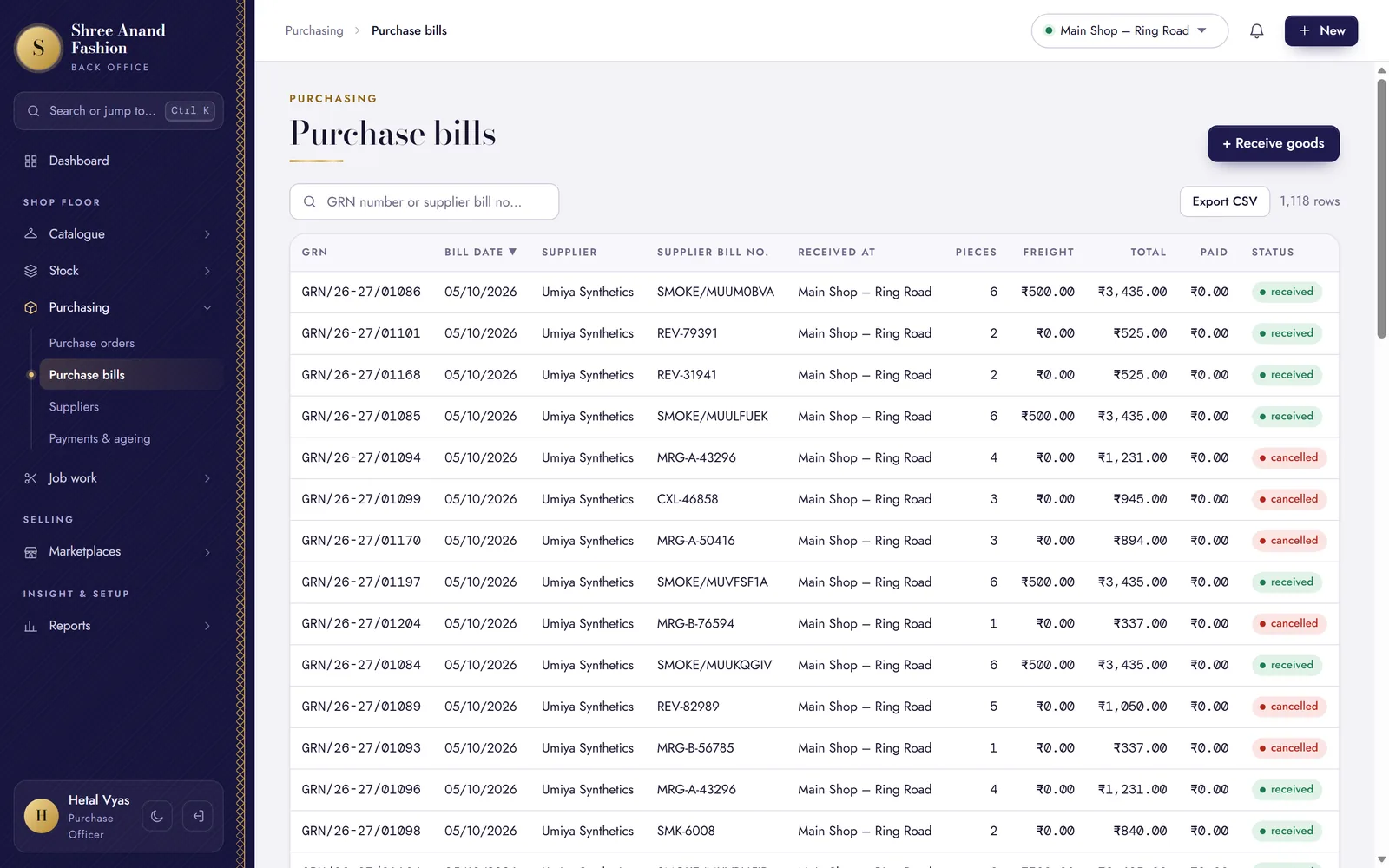
Purchase bills with freight, ready to spread into cost · sample shop on our test system
04Selling & customers
Sell the way clothing is really sold.
Festive offers, pieces sent home on approval, customers on credit and gift vouchers — all on proper GST bills.
Offers and schemes
“Buy 2, get 1”, flat discounts and festive offers — tried in the simulator, then worked out at the counter.
Invoices and credit notes
Proper GST invoices — and a credit note when goods come back.
Goods on approval
Send pieces home on an approval memo; bill what is kept, take back the rest.
Gift vouchers
Sell a voucher for a wedding or a festival; it is spent on a later bill.
Salesperson on every bill
Put the salesperson who helped on each bill at the counter.
Customers and udhaar
Each customer's bills and what they owe, with a credit limit and a statement.
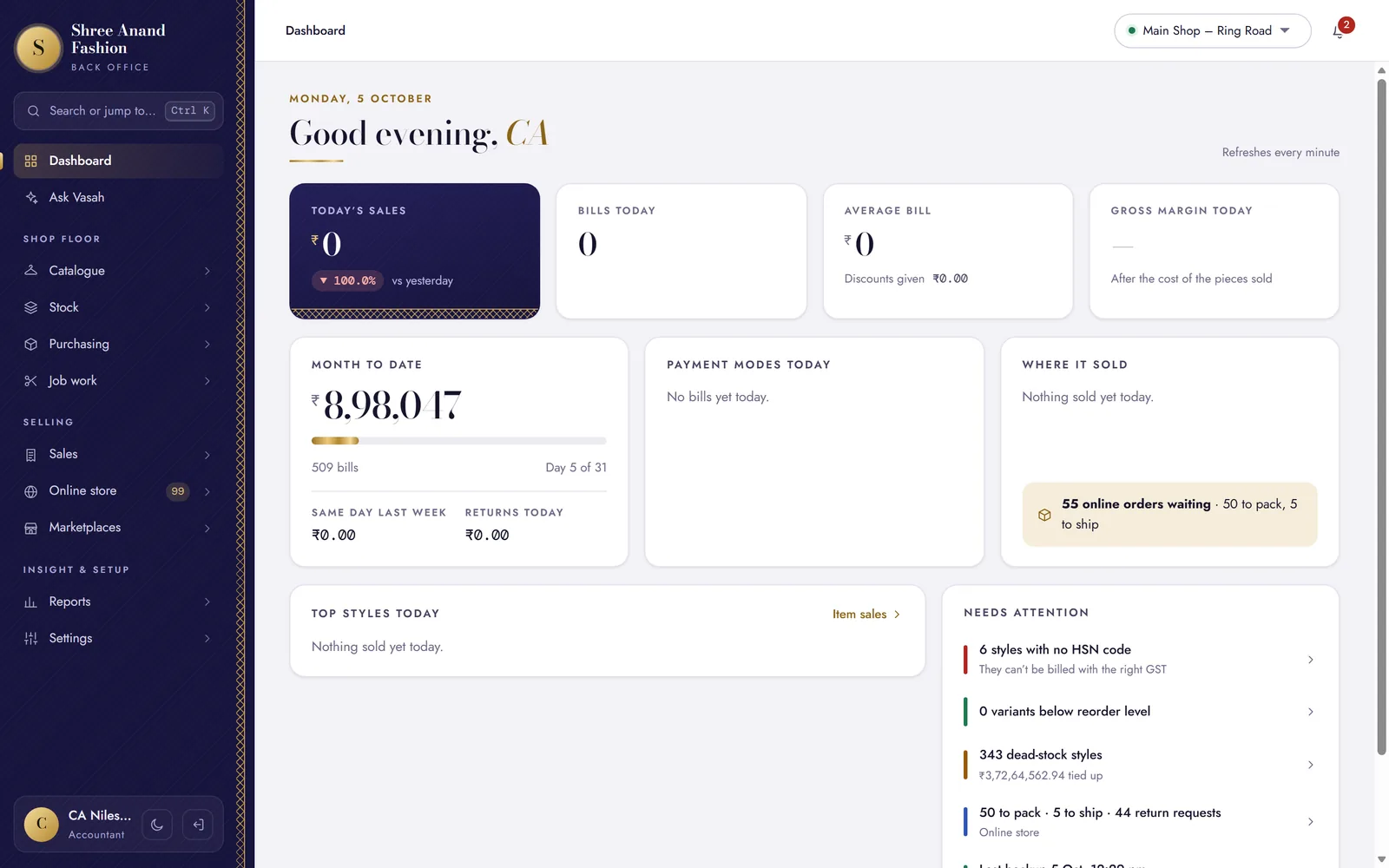
The back office home: the day's sales and what needs attention · sample shop on our test system
05Online store
Your own website, on your own domain.
A shop of your own online — not one more seller on a marketplace page.
On Standard and ProYour name, your domain
Your logo on your own address, like www.yourshop.in.
Three languages
Shoppers read it in English, ગુજરાતી or हिन्दी.
Size charts and declarations
Every product page carries its size chart and the Legal Metrology details.
Cash on delivery, or online
COD, or online payment through Razorpay.
Simple checkout
Guest checkout or a one-time code; delivery checked by PIN code.
Returns and reviews
Return and exchange requests, and product reviews from your customers.
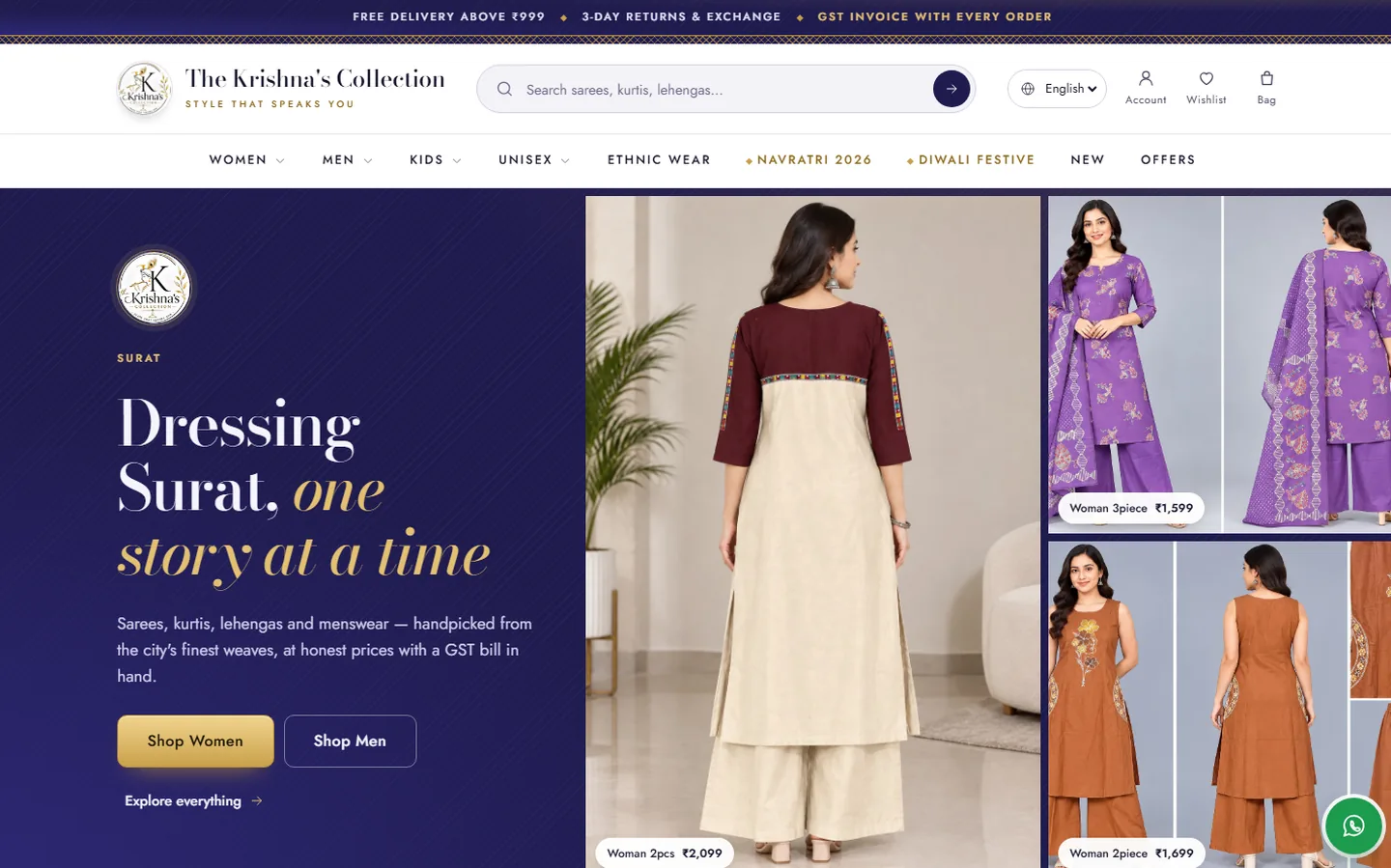
ExampleThe Krishna's Collection, Surat · www.tkcwestern.com · with a WhatsApp chat button and policy pages drafted from the shop's settings
06WhatsApp
Bills, order updates and replies on WhatsApp.
Send customers what they need on the app they already use — and answer them from one inbox.
Bills on WhatsApp
The GST bill goes to the customer's WhatsApp — with paper, or instead of it.
Order updates
Website orders tell the customer when they are placed, on the way and delivered.
One inbox
Customers' messages come into the back office, where your team can reply.
Offers to those who agreed
Campaigns go only to customers who said yes. On Standard and Pro.
The owner's daily digest
The day's bills, sales and dues, on the owner's WhatsApp.
Your number, through MSG91
Your WhatsApp Business number, connected through MSG91. Message templates are approved by Meta.
The WhatsApp inbox, drawn for this page · sample names
07Marketplaces
Marketplace orders, from the same stock.
Amazon, Flipkart, Meesho and Myntra orders, listings and stock — kept next to your shop's own.
On Standard and ProOne stock count
A piece sold on a marketplace comes off the same count as the counter.
Every order in one list
Hold the order's stock, then dispatch it under the marketplace's invoice number.
Returns back on the shelf
A marketplace return or RTO goes back into your stock.
Stock to update
One sheet shows which marketplace's stock needs changing, and by how much.
Amazon and Flipkart, live
Once you have seller API access, new orders come in and stock goes out every two minutes.
Meesho and Myntra, by hand
You record their orders in the same screen, and keep their stock right from the sheet.
- AmazonLive with seller API accessNew orders in and stock out every two minutes — or record orders by hand.
- FlipkartLive with seller API accessNew orders in and stock out every two minutes — or record orders by hand.
- MeeshoBy handOrders recorded by hand; stock kept right from one sheet.
- MyntraBy handOrders recorded by hand; stock kept right from one sheet.
08Reports & GST
Know your margins. Hand over your GST.
The reports a clothing shop reads, and the GST summaries your CA asks for.
Item sales and margins
What sold, and what you made on it, style by style.
Cash book and stock value
Money in and out, and what your stock is worth today.
Size curve and schemes
Which sizes sell, and how each offer performed.
GST returns
GSTR-1 and GSTR-3B summaries rate by rate, the GSTR-1 file for the portal, and the purchase register.
e-Invoice and e-way bill
Switched on under Settings → Tax & HSN, bills to GST-registered buyers get their IRN and QR from the IRP.
Tally export
Hand the books to your accountant in a file Tally reads.
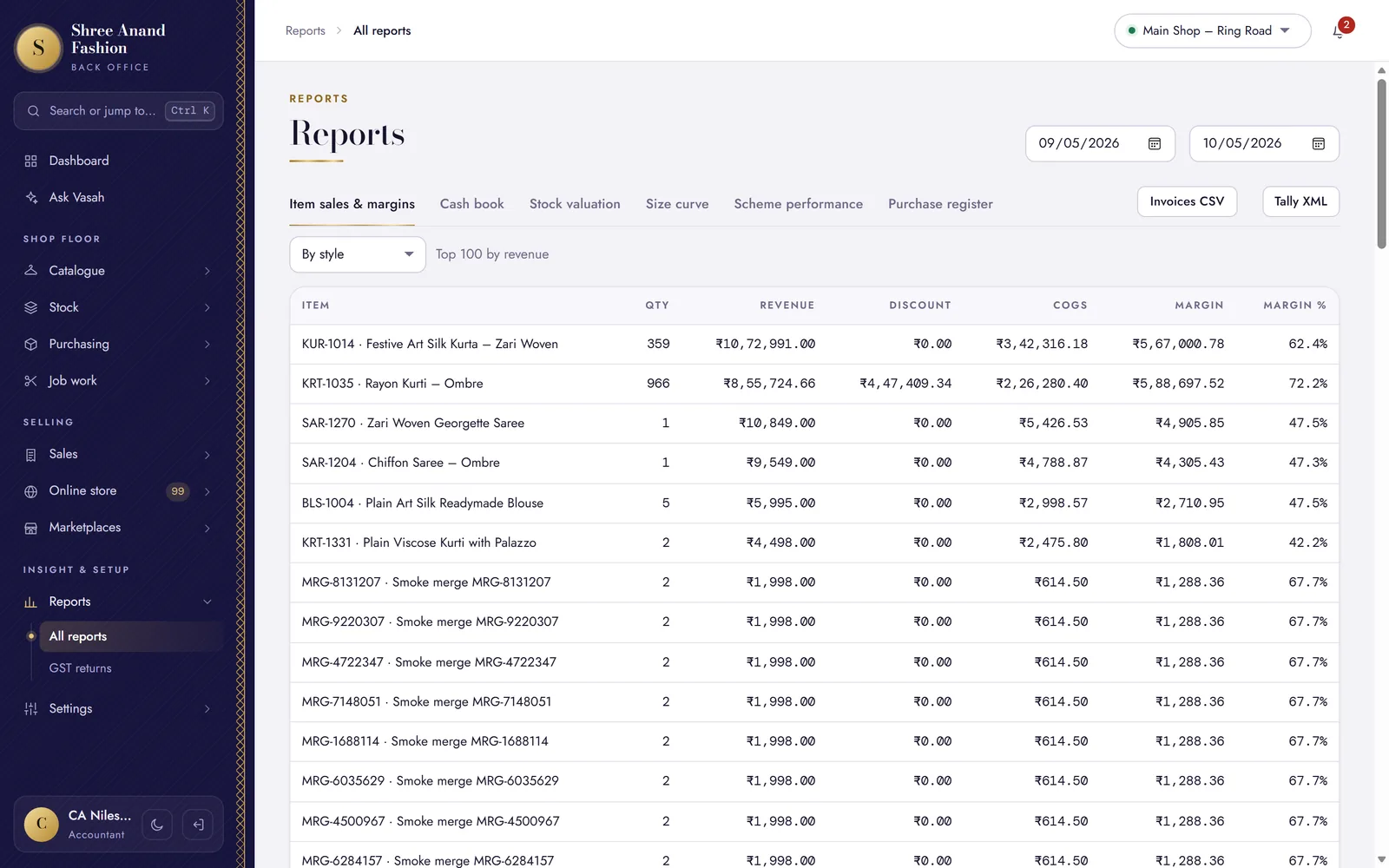
Item sales and margins, with the Tally export one click away · sample shop on our test system
09Team & security
The right access for every person.
Each person sees what their job needs. Your shop's data stays yours — in India.
Seven staff roles
From owner to cashier, each role sees and does only its own part.
Two-step sign-in
A code from an authenticator app, at the back office and the counter, on top of the password.
Every change on the log
An audit log shows who changed what, and when.
A database of your own
Never shared with another shop. Kept in India, on Microsoft Azure.
Backed up every day
Your shop's data is copied to an encrypted backup every night.
Support only if you allow it
Our team can look in only when the owner switches it on — for 4 hours to 3 days.
Made for every person in the shop
Seven roles. Each person sees what their job needs.
Give everyone their own sign-in — and a PIN at the counter. Here is what each role does in VASAH.
Owner
Sees the whole shop — sales, margins, stock value and GST. Sets prices, offers and who can do what. Gets the daily digest on WhatsApp.
Manager
Runs the day: approves discounts above the limit, handles returns, checks the register and the stock counts.
Cashier
Bills at the counter in their own language: scans, takes payment, prints or WhatsApps the bill, holds and recalls.
Store keeper
Receives parcels, prints price tags, moves stock between shop and godown, and counts the shelves.
Purchase officer
Raises purchase orders, enters supplier bills with freight, and sends work to karigars on challans.
Accountant
Keeps the cash book, supplier payments and GST returns, and sends the Tally export.
Online manager
Looks after website and marketplace orders, returns, reviews and WhatsApp replies.
Try it with your team
Bring your whole team in.
Each person gets their own sign-in and role.
Start free trial →
Try every part of it free for 30 days.
No card needed. Your shop gets its own web address when you sign up.