
GST & accounts
GST worked out on every bill. Returns ready for your CA.
The right rate for every piece by its price and HSN, proper invoices with unbroken numbers, and the GSTR-1 and GSTR-3B summaries your CA asks for — with the Tally export when the books go out.
On every plan · GST rates are kept as rules your CA can check (Settings → Tax & HSN)
- 5% · 18%
- Clothing GST by price, kept as rules
- GSTR-1 · 3B
- Summaries, and the GSTR-1 file for the portal
- IRN + QR
- e-Invoices, once you switch them on
- Tally XML
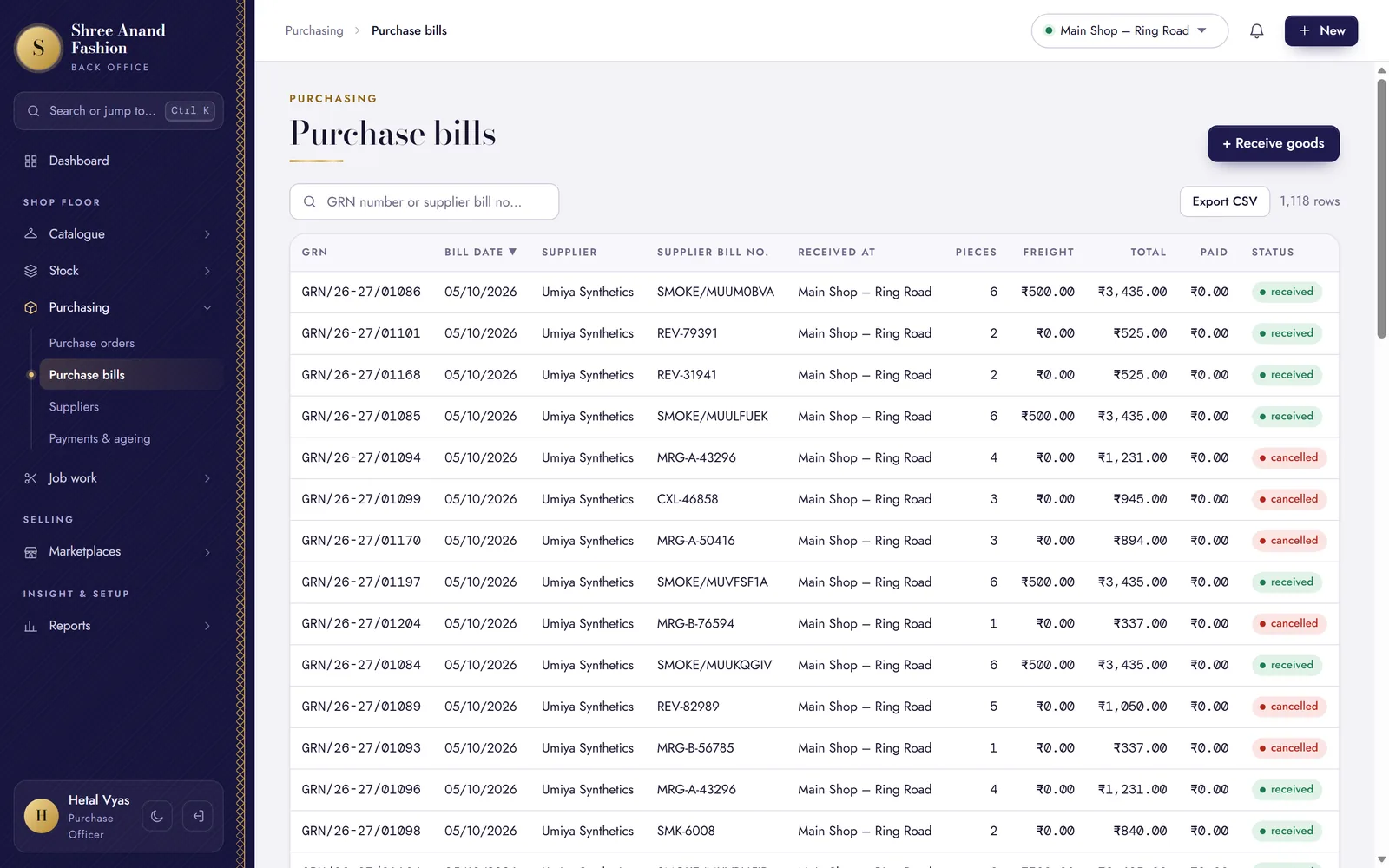
- Sales, credit notes, purchases, payouts
Month end
From the bill to the filed return, in four steps.
What happens to a bill after it is printed, until your CA has filed the month.
Every bill carries the right GST
The rate comes from the piece's HSN code and its price; CGST and SGST inside your state, IGST outside it.
Kurti set · ₹1,5995%Silk saree · ₹3,20018%Check the month
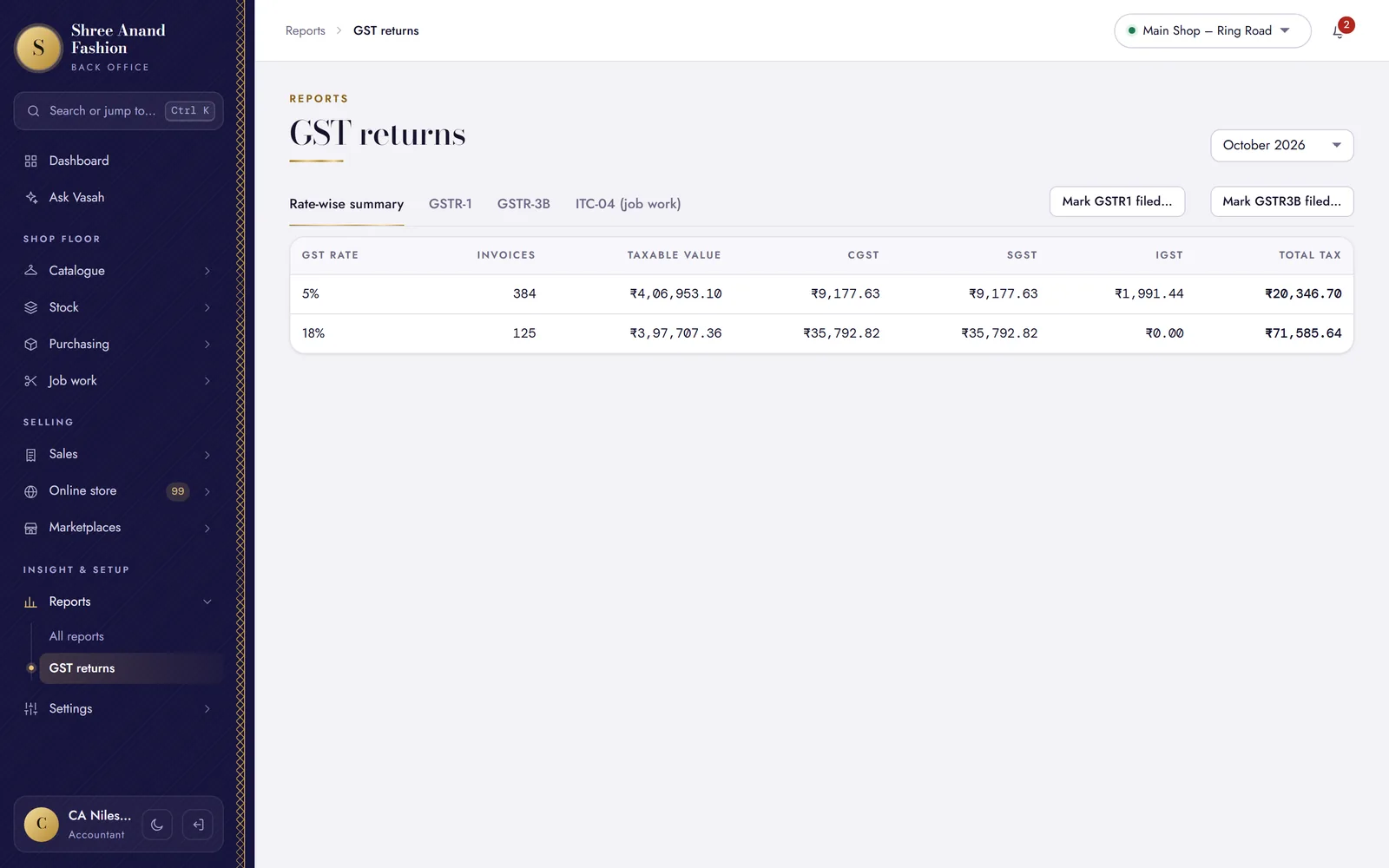
Reports → GST returns shows GSTR-1 section by section, and GSTR-3B for checking against GSTR-2B. Download the GSTR-1 file for the portal.
B2B · B2CL · B2CS · HSNFile, and lock the month
File on the GST portal, then mark the month filed in VASAH, with its ARN. No bill in it can be cancelled any more; corrections go through credit notes.
FiledARNMonth lockedSend the books to Tally
Export sales, credit notes and purchases as Tally XML for your accountant.
Tally XML
Bills and the law
The rules a clothing shop bills by, built in.
Each one checked at the counter as the bill is made, and again on the server.
Invoices that stay put
Numbered in a series for each counter, starting again each financial year. An issued bill is never edited: cancel it the same day with a reason, or issue a credit note.
Buyers with a GSTIN
The GSTIN is checked as it is typed; the bill shows it, and it goes into the B2B part of GSTR-1.
Big bills and cash
A bill of ₹50,000 or more to an unregistered buyer names them. Above ₹2 lakh it needs PAN or Form No. 97 (formerly Form 60), and cash of ₹2 lakh or more from one person is refused (Income-tax Act 2025, s.186 — formerly s.269ST).
e-Invoice and e-way bill
Switch e-invoicing on under Settings → Tax & HSN: bills to GST-registered buyers get their IRN and QR. Record the e-way bill number on a bill or a transfer.
Reports a shop reads
Item sales and margins, cash book, stock valuation, size curve, scheme performance and the purchase register.
Ask Vasah
Ask about your shop in Hinglish, Gujarati, Hindi or English; the numbers come from your own books. Needs an AI key under Settings → Connections.
GST rates
The GST rate, from the price of the piece.
Clothing is taxed by price: 5% up to ₹2,500 a piece, 18% above. VASAH keeps rates as dated rules on each HSN code, so the rule in force on the bill's date applies — and old bills keep their old rate.
- Judged on the price after discount
- Fabric stays at 5%
- Your CA can review each rule and mark it checked (Settings → Tax & HSN)
Check the rates with your CA before your first bill.
Drawn for this page · the rule as a shop starts with it
Reports
Know your margins, style by style.
Item sales and margins, the cash book, stock valuation, the size curve and how each offer performed — for the dates you choose. Invoices export to CSV, the books to Tally.
- Cost and margin only for the roles allowed to see them
- A Z report at the close of each day
- Tally export: sales, credit notes, purchases and marketplace payouts
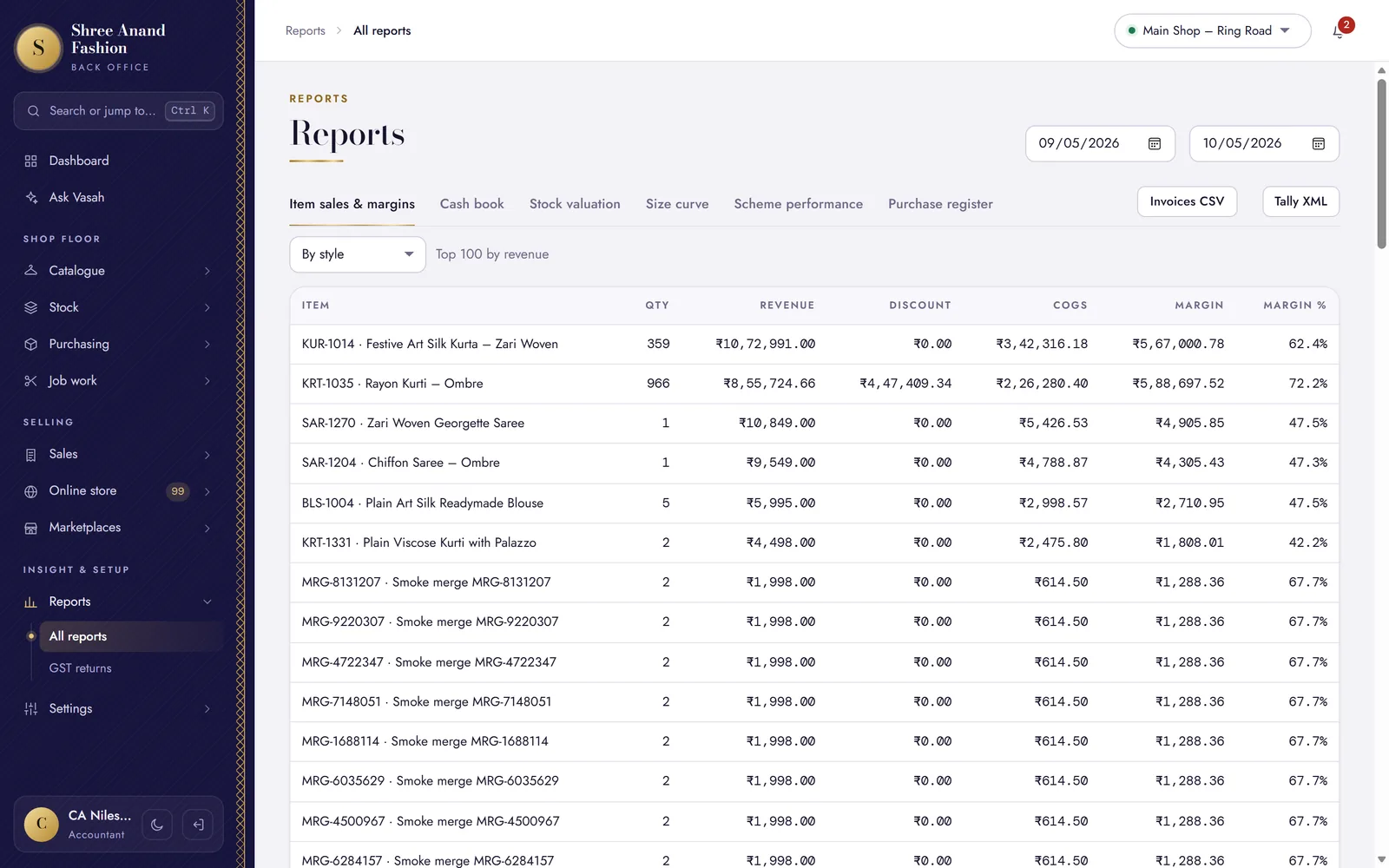
Reports in the back office · sample shop on our test system
VASAH Academy
Learn GST and the books, one task at a time.
Lessons from the accountant's path, and the counter's for GST bills.
Short lessons, one task each, in English, ગુજરાતી and हिन्दी — with the steps written out and the keys to press.
Visit VASAH Academy- Check the GST rate table with your CA and mark rules verified
- Make a B2B bill with the buyer's GSTIN
- Bill above ₹2 lakh: record PAN or Form 97
- Issue a credit note
- Understand cancel versus credit note
- Read GSTR-1 sections and download the portal JSON
- Read GSTR-3B
- Record that a return was filed (ARN) to lock the period
- Generate an e-invoice (IRN) and cancel it within 24 hours
- Record an e-way bill number
- Export sales, credit notes and purchases to Tally XML
- Read profit and margin reports (cost visible to your role)
Works with
Where the numbers come from.
Hand your CA a clean month.
30 days free. GST billing comes with every plan.