

Learning path
Accountant
એકાઉન્ટન્ટअकाउंटेंट
Sales books, GST returns, Tally, what is owed both ways, and the controls.
- 18 lessons
- 5 parts
- A picture card for every lesson
Learn it inside your shop
In VASAH, Learning → My learning keeps your place in this path, gives you its short quiz and, at the end, your certificate.
Lesson 1: Find any invoice by number, customer or dateThe lessons, in order
Every lesson is open — start with any one.
Part 1Sales books
- Lesson 1: Find any invoice by number, customer or dateEvery bill — counter, website and marketplace — in one register.
- Lesson 2: Issue a credit noteGoods came back, or the price was cut after the sale — GST is reversed in proportion.
- Lesson 3: Understand cancel versus credit noteCancel only the same day; every other correction is a credit note.
- Lesson 4: Read the sales register and export CSVThe list of invoices is the sales register — one file for your CA.
Part 2GST
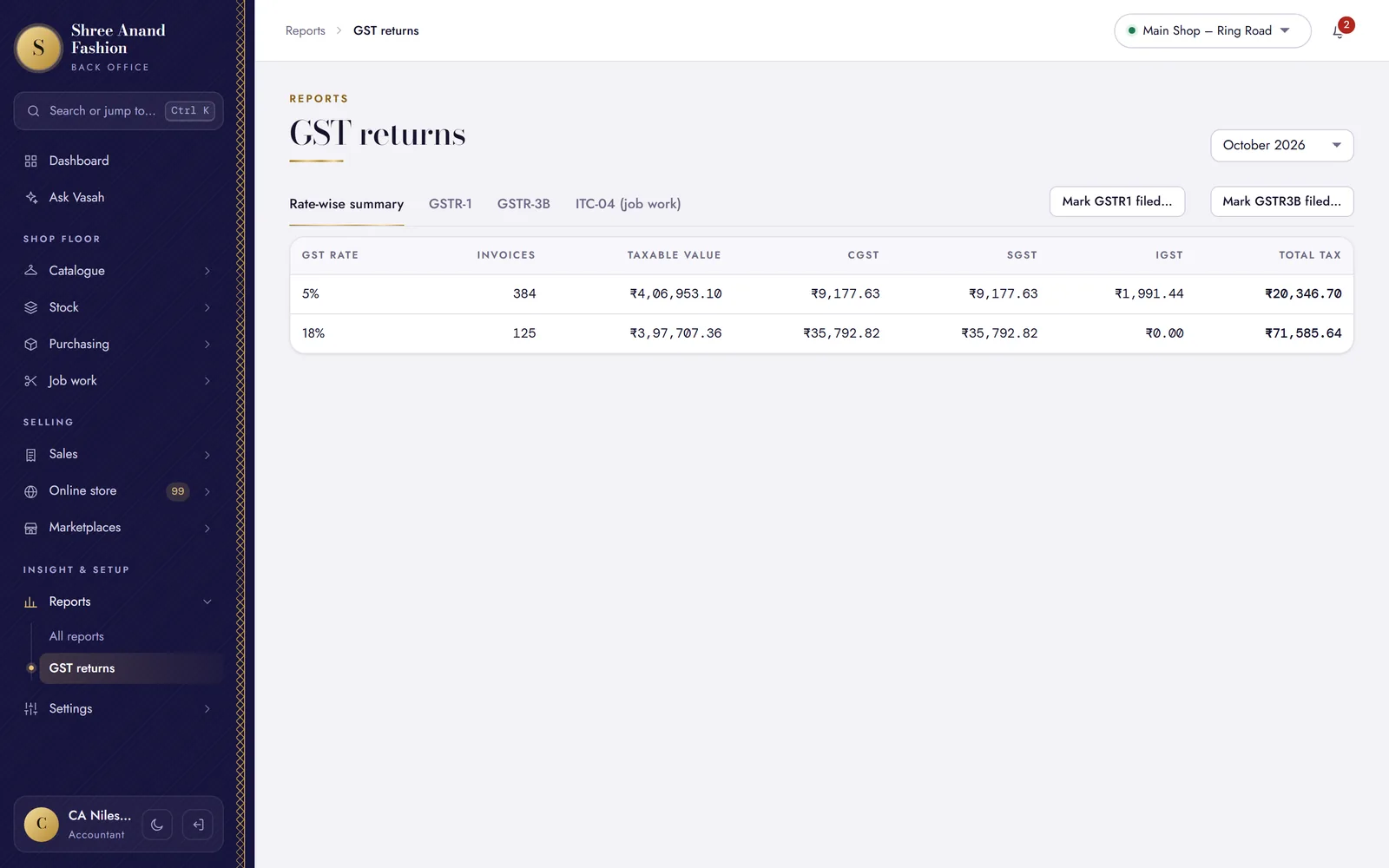 Lesson 5: Read GSTR-1 sections and download the portal JSONThe month's outward supplies, laid out as the return asks, with the file the portal takes.
- Lesson 6: Key GSTR-1 Table 14 (marketplace sales) by handSales through marketplaces go in Table 14 — typed on the portal, not in the JSON file.
- Lesson 7: Read GSTR-3BThe month's tax: what was collected, the credit on purchases, and what is payable in cash.
- Lesson 8: Record that a return was filed (ARN) to lock the periodAfter filing on the portal, lock the month so its bills cannot change.
- Lesson 9: Generate an e-invoice (IRN) and cancel it within 24 hoursFor bills to GST-registered buyers, once your turnover needs e-invoicing.
- Lesson 10: Record an e-way bill numberGoods worth ₹50,000 or more (the usual limit) need an e-way bill before they move — generated from the bill's IRN, or made on the portal and recorded here.
Part 3Tally and exports
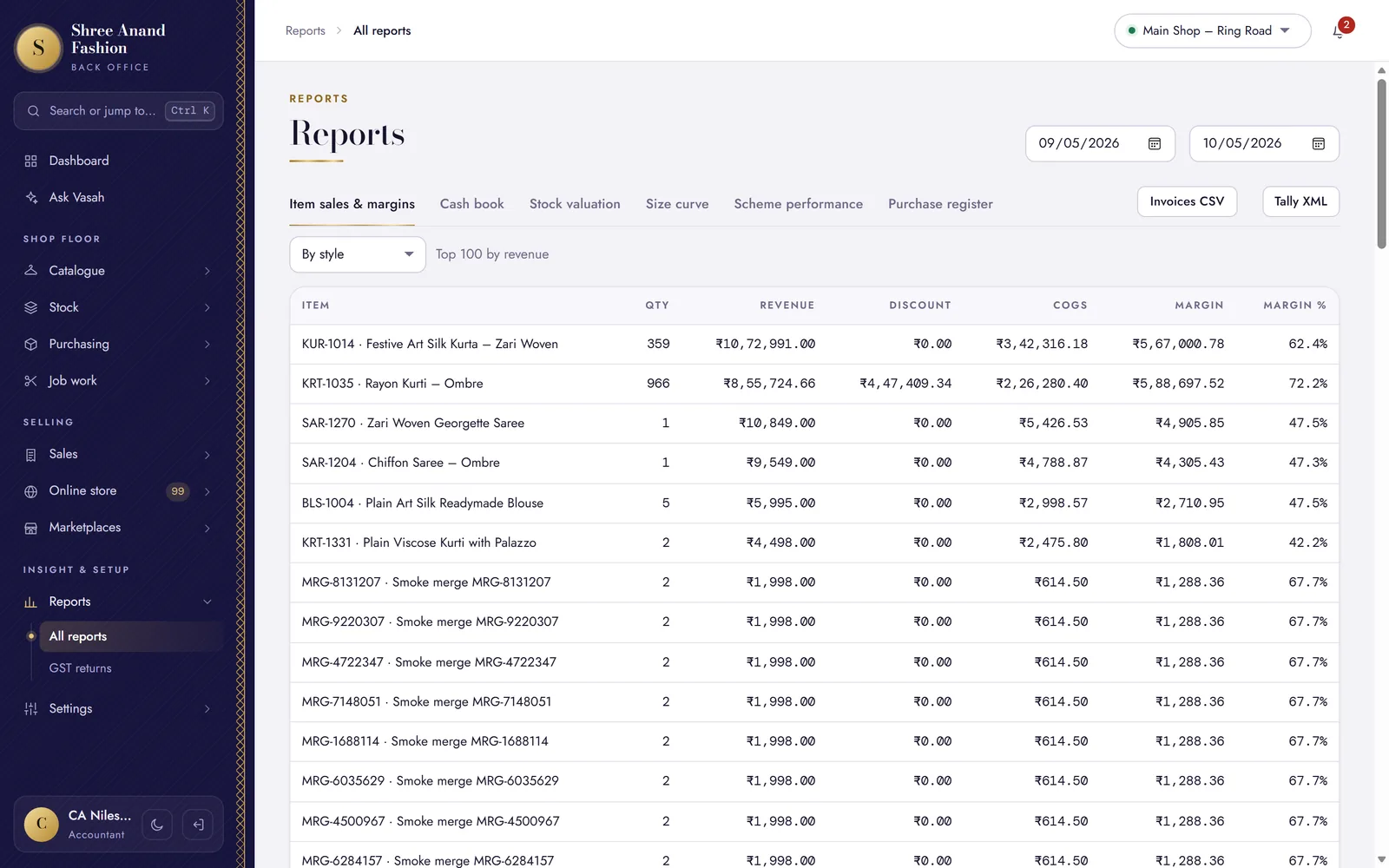 Lesson 11: Export sales, credit notes and purchases to Tally XMLVouchers for any dates, ready to import into Tally.
- Lesson 12: Export marketplace payouts to TallyMarketplace settlements as receipt vouchers, with commission, fees, TCS and TDS.
- Lesson 13: Export any list to CSVWhat you see on a list, with its filters, as a file for Excel.
Part 4Receivables and payables
- Lesson 14: Read customer receivables and statementsWho owes the shop money, how much, and how late.
- Lesson 15: See what is owed (payments & ageing)Every supplier's dues on one screen, by how old they are.
- Lesson 16: Reconcile a marketplace payout (commission, fees, TCS, TDS)Split what the marketplace kept, so what reached the bank adds up.
Part 5Controls
- Lesson 17: Read the audit log and filter itWho changed what, when, from which device — before and after.
- Lesson 18: Read profit and margin reports (cost visible to your role)What each style earns, and the shop's profit after expenses.